

|
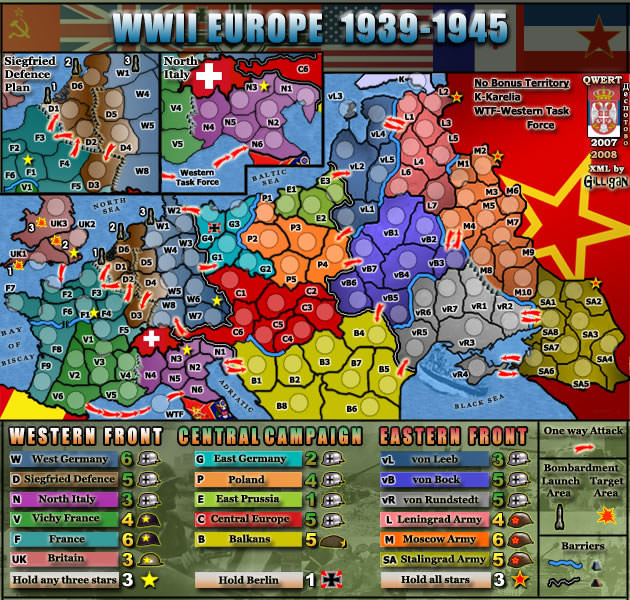
WWII Europe - Poly (3), No Spoils, Fog, Trench, 30 Rounds - Round 10
|
   |
 |
|
|
| ||||||||||||||||||||||||||||||||||||||||||||||||||||||||||||||||||||||||||||||||||||||||||||||||||||||||||||||||||||||||||




click to deploy here
click to assault from here
click to assault to here
click to reinforce from here
click to reinforce to here
click to reinforce to here
right-click to reinforce from here
right-click to reinforce from here
click to select/deselect
right-click to play set
right-click to play set
click again to deploy troops
click again to assault
right-click to auto-assault
right-click to auto-assault
click again to advance troops
right-click to advance zero
right-click to advance zero
click to advance zero troops
click again to reinforce troops
click again to reinforce troops
right-click to reinforce from here
right-click to reinforce from here


|
|||||||
| Conquer Club: play Risk online. Copyright © 2006-2026 by Big Wham LLC | |||||||



