Help
Play States
Play By Clickable Map
Deploy: Click on territory to deploy, choose number to deploy and click again to make deployment
Assault: Click on a territory to Assault from, then on a territory to Assault (right click to Auto Assault)
Advance: Click on conquered territory to choose to advance, choose number to advance, then click again to advance. Click on conquering territory to advance zero.
Reinforce: Click on a territory to Reinforce from, then on a territory to Reinforce to. Click again to confirm.
Play By Keyboard and Mouse
N Key: Skip to next game, Jump to next game
B Key: Begin Turn
E Key: End Deployment, End Assaults, End Reinforcement
L Key: Later (decline to play spoils)
W,S Keys: Increase/decrease troop quantity (slow)
Q,A Keys: Increase/decrease troop quantity (fast)
Mouse Wheel: Change troop quantity by scrolling over the selected region.
CTRL Key + Click: You can always use CTRL-click instead of the right mouse button.
Middle Click: To advance to next stage (Begin Turn, End Assaults, etc.) click the middle mouse button anywhere on the map.
2011-05-09 19:02:04 - danryan: gl
2011-05-09 19:04:57 - Haggis_McMutton: gl
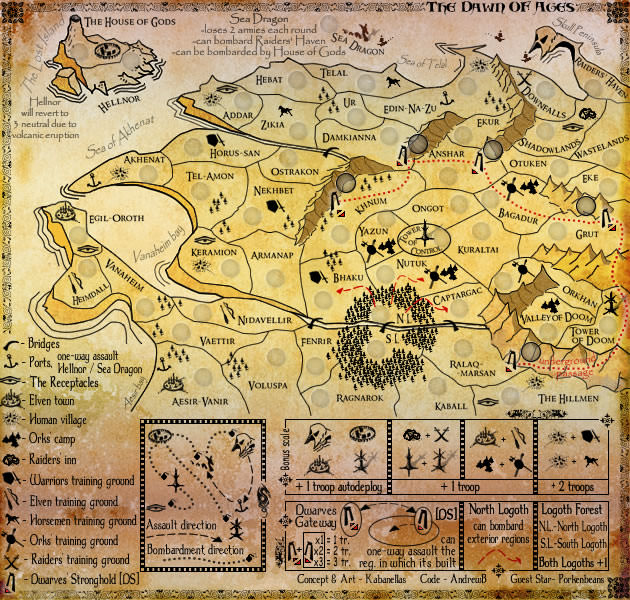
2011-05-09 19:05:19 - Haggis_McMutton: though you probably won't need it since I haven't the foggiest idea how to play this map :p
2011-05-09 19:05:29 - danryan: it's a neat little map.
2011-05-09 19:05:48 - danryan: but I'm getting whac'd left and right so who knows
2011-05-09 19:11:20 - Haggis_McMutton: aaand it's done
2011-05-09 19:11:33 - Haggis_McMutton: there's a reason I don't normally play 1 vs 1 ...
2011-05-09 19:13:09 - danryan: sorry mate, I'll take it :-)
2011-05-09 19:14:46 - Haggis_McMutton: I'm probably missing something here, but I just don't get 1 vs 1 on maps like this
2011-05-09 19:15:46 - danryan: it's very luck dependent, but if you can isolate an area, grab a bonus, it can work