- Click image to enlarge.
- Click image to enlarge.
What's going on:
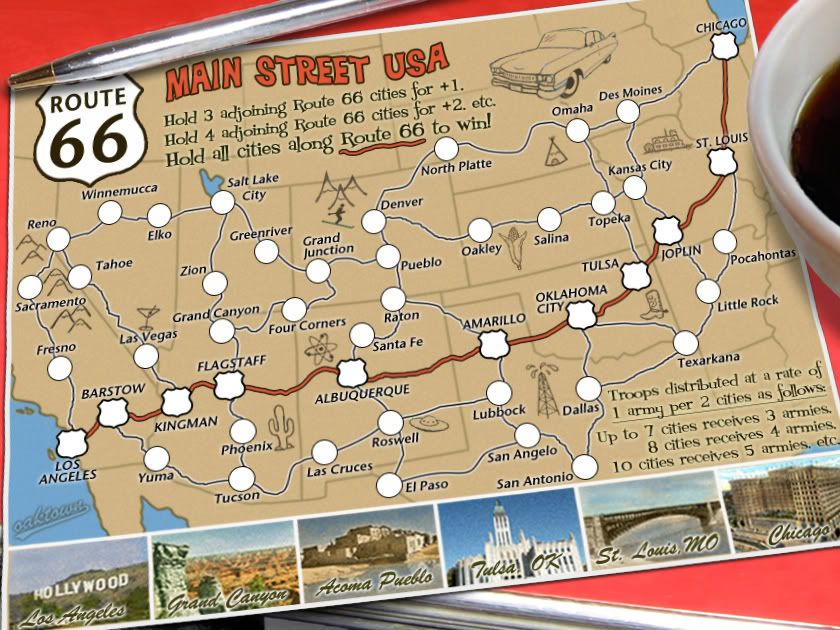
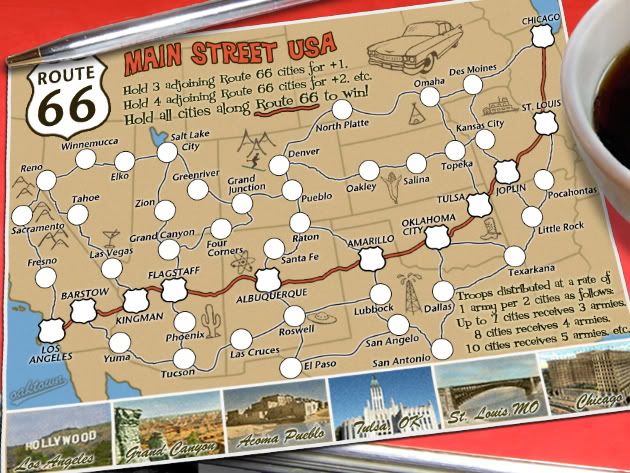
48 Territories (cities)
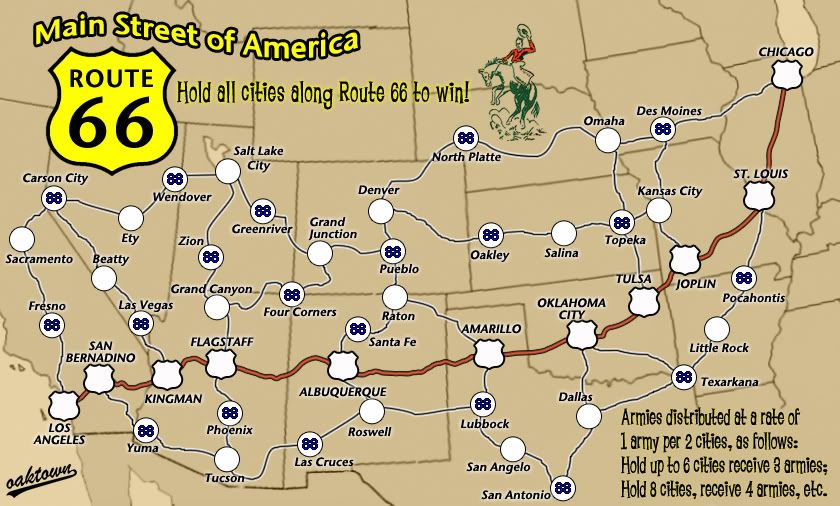
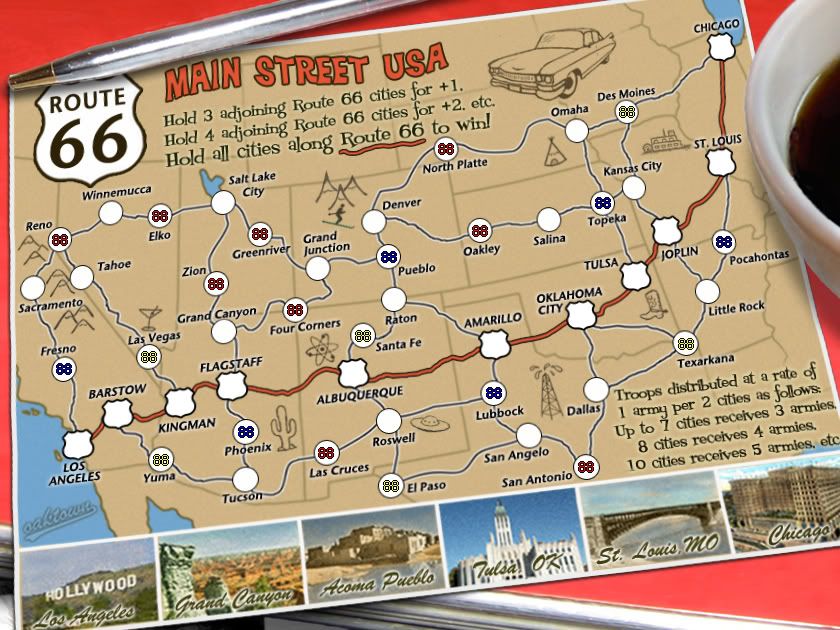
21 starting cities, which are indicated in old drafts (such as the one below) by the blue/yellow/red 88s. All other cities (blank) start neutral with a value of three.
Accelerated army collection rate; per/turn reinforcements are collected at the rate of one army per two cities held; the traditional 3 army minimum is respected, but the fourth army now comes when you hold eight territories.
Route 66 Bonus for holding contiguous cities along the highway.
Victory Condition: hold the eleven cities that sit on Route 66, from L.A. to Chicago.
I came up with 21 starting cities because it means that in 3-8 player games, each player will receive just 3 armies to begin with. Eight player games will start very slowly - just two cities each to start - so to reduce the likelihood of a quick elimination I've spaced out the starts in such a way that no two starts border; everybody is looking at neutrals, so nobody should be wiped out before getting at least one turn in... what you do with that turn is your problem. Oh, and none of the victory condition (Route 66) cities are starting territories.
I'll be coding two starting positions, so that in a two player game there won't be eight additional randomly assigned neutrals - that would just be crazy-frustrating. The two starts are indicated by yellow and blue 88s; each blank circle represents a neutral start with a value of 3, and the red 88 will be randomly assigned territories (3 of which will be randomly assigned as neutrals in a 1v1 game). It means that in two player games each player will start with nine territories, good for a 4 army first drop, but again since each player is only looking at neutrals it shouldn't really be an issue. If I go first and I crash through a neutral, I've either taken a harmless Route city, or I've presented my opponent with the opportunity to attack me.
Older draft with starting neutrals/1v1 start locations; whites are neutral, yellow and blue are coded starts in 1v1 games only, reds are assigned at random.
- Click image to enlarge.
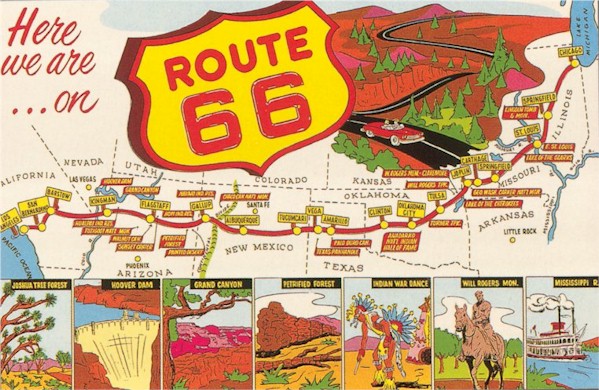
If you're interested, here's the original...
http://i141.photobucket.com/albums/r76/ron_parodi/route01.jpg