

Classic Cities Jakarta [Quenched]
Moderator: Cartographers
Forum rules
Please read the Community Guidelines before posting.
Please read the Community Guidelines before posting.
-
koontz1973
- Posts: 6960
- Joined: Thu Jan 01, 2009 10:57 am
Re: Classic Cities Jakarta [6/7] Page 17
Done the border route, in so many ways. None work to my liking. Bevel is staying.


Re: Classic Cities Jakarta [6/7] Page 17
Another solution instead of the bevel is to simply place a black/other colour background behind the playable area that is one or two pixels larger than the map, thus giving it an edge, but this won't include the bevel.Dukasaur wrote:I agree. This version is much, much easier to see.
Just a thought

* Pearl Harbour * Waterloo * Forbidden City * Jamaica * Pot Mosbi
-
natty dread

- Posts: 12876
- Joined: Fri Feb 08, 2008 8:58 pm
- Location: just plain fucked
Re: Classic Cities Jakarta [6/7] Page 17
Well you do what you want, but it just doesn't look too good - beveling is something most graphics artists grow out of precisely because it often makes things look kind of fake and plastic... of course it has it's uses, but I don't know if it should be applied here.koontz1973 wrote:Done the border route, in so many ways. None work to my liking. Bevel is staying.
What I'd like to see would be making the main map look like a cut-out piece of paper that's floating on top of the background canvas. This way you'd stay consistent with the theme of the map while still solving all the problems with the bg/map.
How about if you replace the bevel with a very dark brown (something like #161007) inner glow - (alpha to selection -> fill -> shrink x -> feather x -> remove selection where x= width of glow) - then you just apply some grunge to the glow and you're set.

-
koontz1973
- Posts: 6960
- Joined: Thu Jan 01, 2009 10:57 am
Re: Classic Cities Jakarta [6/7] Page 17
Black outline around playable area.
Drop shadow hitting the canvas.
Feathering does not work for this. It just makes it look like a bevel but without the gradient of colour. Paper does not work. Oil on paper, while it can be done is not the right medium for this.
Drop shadow hitting the canvas.
- Click image to enlarge.

Re: Classic Cities Jakarta [6/7] Page 17
Why is Jagakarsa(?) a different colour from Pasa Minggu and Cilindat?
* Pearl Harbour * Waterloo * Forbidden City * Jamaica * Pot Mosbi
-
natty dread
- Posts: 12876
- Joined: Fri Feb 08, 2008 8:58 pm
- Location: just plain fucked
Re: Classic Cities Jakarta [6/7] Page 17
Balderdash. You're just not doing it right...koontz1973 wrote:Feathering does not work for this. It just makes it look like a bevel but without the gradient of colour.
What you can do is set the layer mode of the inner glow to something like grain merge or hard light, then you can add a layer mask to it and use a grunge brush on the mask to create a grungy look for the glow - this will give a look of slightly worn edges. Combine this with the outline and adjust their relative opacities until you have something that looks good.
The current outline looks... ok, it's nice and sharp and all, but I think you could do a bit more and push it over "ok", and into "good" or even "great" territory.
-
koontz1973
- Posts: 6960
- Joined: Thu Jan 01, 2009 10:57 am
Re: Classic Cities Jakarta [6/7] Page 17
Its not, the lighting on top of the playable area makes it like that. All of the regions have a slight variation of colours.cairnswk wrote:Why is Jagakarsa(?) a different colour from Pasa Minggu and Cilindat?
This is not something that I bunged on slap dashed and thought, bugger that, it does not look good. I tried all that you have said and more. It just does not look good at all so I am not going to do it.natty wrote:Balderdash. You're just not doing it right...
What you can do is set the layer mode of the inner glow to something like grain merge or hard light, then you can add a layer mask to it and use a grunge brush on the mask to create a grungy look for the glow - this will give a look of slightly worn edges. Combine this with the outline and adjust their relative opacities until you have something that looks good.
The current outline looks... ok, it's nice and sharp and all, but I think you could do a bit more and push it over "ok", and into "good" or even "great" territory.
-
natty dread
- Posts: 12876
- Joined: Fri Feb 08, 2008 8:58 pm
- Location: just plain fucked
Re: Classic Cities Jakarta [6/7] Page 17
Look at this. You're saying this doesn't look good?koontz1973 wrote: It just does not look good at all so I am not going to do it.

A simple, subtle thing, yet it adds much more depth, much more "feeling" and warmth. What I did was: apply two inner glows, one of 5 px, one 20 px, both a very dark brown colour - #171008 to be accurate - set them both on 40% grain merge, added a grungy layer mask on the 20px one. The 20px one could maybe stand to be even lower opacity, though - depends on how it looks when it's applied on all of the land instead of just one continent... and I do mean you should do the entire land at once, not do a separate one for each continent, just to be clear. Or you could maybe apply one of them on each continent, and do the other on all of the land. I don't know, experiment with it.
-
koontz1973
- Posts: 6960
- Joined: Thu Jan 01, 2009 10:57 am
Re: Classic Cities Jakarta [6/7] Page 17
Yes, I am saying it does not look good. There is a lot going already with the map and after stripping the map down to its basics, you want to load it back up. There are colours that will clash, not only on the map, but with the black line, drop shadow and the background. I spent the day trying different approaches and not one looked good for the whole map in my opinion.
-
natty dread
- Posts: 12876
- Joined: Fri Feb 08, 2008 8:58 pm
- Location: just plain fucked
Re: Classic Cities Jakarta [6/7] Page 17
Well, duh.koontz1973 wrote:after stripping the map down to its basics, you want to load it back up.
It's like, you have a house that is built poorly, and it's a hazard for the people who live there because it might collapse at any moment. So you call in a contractor (that's me, btw) and the contractor says, "well, we have to tear down the building, there's no other way" and once he's done tearing down the building, you tell him "hey, we just got our house down to its basics, now you want to build it back up"...
See, the contractor wants to help you build a better house. You want to live in a tent your whole life, or what?
-
koontz1973
- Posts: 6960
- Joined: Thu Jan 01, 2009 10:57 am
Re: Classic Cities Jakarta [6/7] Page 17
But some contractors can be cowboys and take you down a road you do not want to go. Like all buildings, there can be only one architect, and while friends and family will always have an opinion, the one who built it has to live with it.
-
natty dread
- Posts: 12876
- Joined: Fri Feb 08, 2008 8:58 pm
- Location: just plain fucked

-
koontz1973
- Posts: 6960
- Joined: Thu Jan 01, 2009 10:57 am
Re: Classic Cities Jakarta [6/7] Page 17
And as I said, that just looks like the bevel but without the lighting.
-
natty dread
- Posts: 12876
- Joined: Fri Feb 08, 2008 8:58 pm
- Location: just plain fucked
Re: Classic Cities Jakarta [6/7] Page 17
What if ther light parts were exactly what were wrong about the bevel? Have you considered that?
-
natty dread
- Posts: 12876
- Joined: Fri Feb 08, 2008 8:58 pm
- Location: just plain fucked
Re: Classic Cities Jakarta [6/7] Page 17
What you were trying to do with the bevel wasn't the problem. You were on the right track but the execution was wrong. So I fixed that, or showed you how to fix that. The concept is there. Instead of a bevel that gives a rough, technical feel, you can use a smooth, subtle shading effect, maybe mix in some gradient, make it look natural. It helps if you use several layers and mix their layer modes and widths and opacities up a bit. I used 4 layers for that last effect. You get the natural feel to it by not making it totally even, mix in some layers where you just draw the glow by hand, with low opacity, using a layer mask to keep it going "over the lines". Make it so subtle it's almost unnoticeable that it's there, but so that it still improves the edges.
The goal here is to make the edges sharp on the outside, but soft on the inside. It's a very zen thing if you think about it.
And make the effect subtle, almost subliminal if that makes sense. Most of these sorts of effects work best when they're the least noticeable. The proverb "less is more" applies here.
The goal here is to make the edges sharp on the outside, but soft on the inside. It's a very zen thing if you think about it.
And make the effect subtle, almost subliminal if that makes sense. Most of these sorts of effects work best when they're the least noticeable. The proverb "less is more" applies here.
-
DiM

- Posts: 10415
- Joined: Wed Feb 14, 2007 6:20 pm
- Gender: Male
- Location: making maps for scooby snacks
Re: Classic Cities Jakarta [6/7] Page 17
to be honest i'd scrap the whole canvas texture and rethink the map completely.
also background images should never overpower the map. in this case the statue and the title are far too eye catching.
also the title could use more work because right now it's too simple and wrong. the font gives the impression of brush movement but when you add that black stroke everything got messed up.
and what's the little thing on the right with the rivers explanation? is it supposed to be a piece of paper?
also background images should never overpower the map. in this case the statue and the title are far too eye catching.
also the title could use more work because right now it's too simple and wrong. the font gives the impression of brush movement but when you add that black stroke everything got messed up.
and what's the little thing on the right with the rivers explanation? is it supposed to be a piece of paper?
“In the beginning God said, the four-dimensional divergence of an antisymmetric, second rank tensor equals zero, and there was light, and it was good. And on the seventh day he rested.”- Michio Kaku
-
koontz1973
- Posts: 6960
- Joined: Thu Jan 01, 2009 10:57 am
Re: Classic Cities Jakarta [6/7] Page 17
I understand what you are talking about natty, and understand what you want, but the problem was always that the background was going to be dark and the foreground (map) light. But the background image had a large gradient of colour (light at the top and dark at the bottom). Here it is with the glow turned on but as I said, it feels too fussy to me and loses that map / background feel that you where looking for in the first place. But here it is. Not on the mini map as that does get messy.
- Click image to enlarge.

Your opinion is noted.scrap the whole canvas texture and rethink the map completely.
So says the man who gave up Steamworks & AYBBTU.also background images should never overpower the map.
Yes.piece of paper
Lose the black stroke, you lose the title.font gives the impression of brush movement but when you add that black stroke everything got messed up.
-
DiM
- Posts: 10415
- Joined: Wed Feb 14, 2007 6:20 pm
- Gender: Male
- Location: making maps for scooby snacks
Re: Classic Cities Jakarta [6/7] Page 17
and apparently dismissed without a proper reason.koontz1973 wrote:Your opinion is noted.scrap the whole canvas texture and rethink the map completely.
i beg to differ. on both those maps the background surrounds and encompasses the map complementing each other. here you have a corner with a very eyecatching image that's ~60% of the size of the playable area.koontz1973 wrote:So says the man who gave up Steamworks & AYBBTU.also background images should never overpower the map.
doesn't look like one. and now with the huge shadow it looks even worse. is that piece of paper flying or just levitating?koontz1973 wrote:Yes.piece of paper
why does it have 2 perfectly straight sides and one really jagged side?
that font is supposed to mimic a brush on canvas that leaves irregular marks. similar to this. add a black stroke to it and it no longer looks natural.koontz1973 wrote:Lose the black stroke, you lose the title.font gives the impression of brush movement but when you add that black stroke everything got messed up.
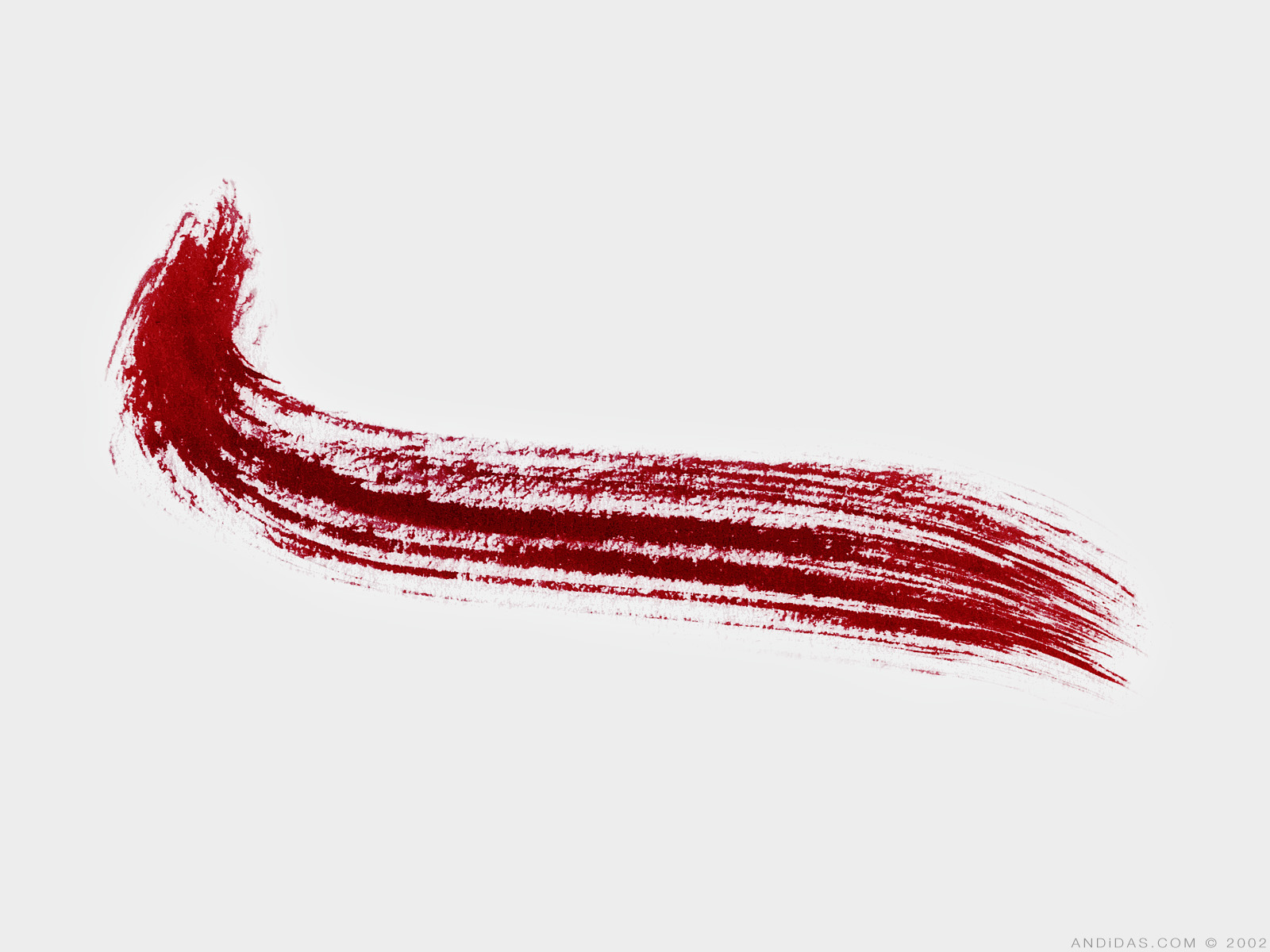
also, you have a HUGE area in that corner, you can surely do a proper title artwork and not just a font with a stroke.
“In the beginning God said, the four-dimensional divergence of an antisymmetric, second rank tensor equals zero, and there was light, and it was good. And on the seventh day he rested.”- Michio Kaku
-
natty dread
- Posts: 12876
- Joined: Fri Feb 08, 2008 8:58 pm
- Location: just plain fucked
Re: Classic Cities Jakarta [6/7] Page 17
The inner glow looks pretty good, I would maybe tone it down very slightly, but not much. Also, something you could do is lighten the colour of all the bonus areas by something like 10-20%. To compensate for the darkening effect of all the stuff on it. It will also improve contrast.
DiM has a point about the title, I'd also like to see something done with it.
You also need to do something about the bridges. I'm sure you can do better than a single brush stroke with the default brush. Maybe you could look at some old bridges in Indonesia and take inspiration from those, but you need to draw proper bridges, the current ones are very half-assed.
DiM has a point about the title, I'd also like to see something done with it.
You also need to do something about the bridges. I'm sure you can do better than a single brush stroke with the default brush. Maybe you could look at some old bridges in Indonesia and take inspiration from those, but you need to draw proper bridges, the current ones are very half-assed.
-
koontz1973
- Posts: 6960
- Joined: Thu Jan 01, 2009 10:57 am
Re: Classic Cities Jakarta [6/7] Page 17
Inner glow turned down, map lightened, paper shadow removed (see DiM I do listen to you), title made lighter but the black stroke stays.
Bridges are not a single stroke, they are a wood texture with a lighter glow. This may be simple but it fits the map and covers the bridges in Jakarta which are made from mostly wood planks and tubed steel going over the waterways. There are not many "bridges" as we would have them.
- Click image to enlarge.

- Click image to enlarge.

-
natty dread
- Posts: 12876
- Joined: Fri Feb 08, 2008 8:58 pm
- Location: just plain fucked
Re: Classic Cities Jakarta [7/7] Page 17
Good news is, the inner glow & the colour balance looks very good now, there's a reasonably good contrast with the background now.
look, it doesn't matter what you intended to do with those bridges, the bottom line is they look like you just took a default round brush and drew a line. I don't see a wood texture on them (and indeed, any such texture wouldn't be visible on this scale). The current bridges simply look shoddy, and I know you can do better than that.
Look at the bridges on my Yugoslavia map. Something like that could work here - simple in style, yet recognizable as bridges. However, I'd much rather see something like the one bridge on the Korea map - bridges like that would suit the style of this map much better.
Or you could do something totally different, up to you. But they need to look like bridges, not ambiguous blobs of a single colour.
*siiiiigh* why must you fight about everything...koontz1973 wrote:Bridges are not a single stroke, they are a wood texture with a lighter glow. This may be simple but it fits the map and covers the bridges in Jakarta which are made from mostly wood planks and tubed steel going over the waterways. There are not many "bridges" as we would have them.
look, it doesn't matter what you intended to do with those bridges, the bottom line is they look like you just took a default round brush and drew a line. I don't see a wood texture on them (and indeed, any such texture wouldn't be visible on this scale). The current bridges simply look shoddy, and I know you can do better than that.
Look at the bridges on my Yugoslavia map. Something like that could work here - simple in style, yet recognizable as bridges. However, I'd much rather see something like the one bridge on the Korea map - bridges like that would suit the style of this map much better.
Or you could do something totally different, up to you. But they need to look like bridges, not ambiguous blobs of a single colour.
-
koontz1973
- Posts: 6960
- Joined: Thu Jan 01, 2009 10:57 am
Re: Classic Cities Jakarta [7/7] Page 17
And why can you not fight me over everything. They may be simple, but they work. If you cannot see the colour differences on them, then your eyesight needs looking at. They fit the map, leave it at that. What you want has to much detail on it for it to work.
-
natty dread
- Posts: 12876
- Joined: Fri Feb 08, 2008 8:58 pm
- Location: just plain fucked
Re: Classic Cities Jakarta [7/7] Page 17
Oh come on.
Quit being lazy and just do them properly. Youre not a 1st time mapmaker, you should know better.
Just do something that looks like bridges its not like im asking much here.
Quit being lazy and just do them properly. Youre not a 1st time mapmaker, you should know better.
Just do something that looks like bridges its not like im asking much here.
-
koontz1973
- Posts: 6960
- Joined: Thu Jan 01, 2009 10:57 am
Re: Classic Cities Jakarta [7/7] Page 17
Calling me lazy after the last few days.natty dread wrote:Oh come on.
Quit being lazy and just do them properly. Youre not a 1st time mapmaker, you should know better.
Just do something that looks like bridges its not like im asking much here.

-
natty dread
- Posts: 12876
- Joined: Fri Feb 08, 2008 8:58 pm
- Location: just plain fucked
Re: Classic Cities Jakarta [7/7] Page 17
Yes, I'm administering some tough love.
There's simply no reason to keep the current bridges apart from laziness. You can't possibly claim you think they work for the map. For gobs sake, look at them - they don't look like bridges, they're just blobs that frankly look like pieces of dog poop. I'm not saying this to be mean, I just want you to get off your ass and apply yourself because I know you can do better than this.
The thing is, you have potential and you're capable of learning, but sometimes you just get stubborn and refuse to see what is obvious. I'm not your enemy here. I'm only trying to help you to do your best, and if it's not enough, to make your best better. Sometimes you need a little pushing, and the foundry has far too few people willing to give that push these days.
So, just go on and work on those bridges. What have you got to lose?
There's simply no reason to keep the current bridges apart from laziness. You can't possibly claim you think they work for the map. For gobs sake, look at them - they don't look like bridges, they're just blobs that frankly look like pieces of dog poop. I'm not saying this to be mean, I just want you to get off your ass and apply yourself because I know you can do better than this.
The thing is, you have potential and you're capable of learning, but sometimes you just get stubborn and refuse to see what is obvious. I'm not your enemy here. I'm only trying to help you to do your best, and if it's not enough, to make your best better. Sometimes you need a little pushing, and the foundry has far too few people willing to give that push these days.
So, just go on and work on those bridges. What have you got to lose?