Moderator: Cartographers

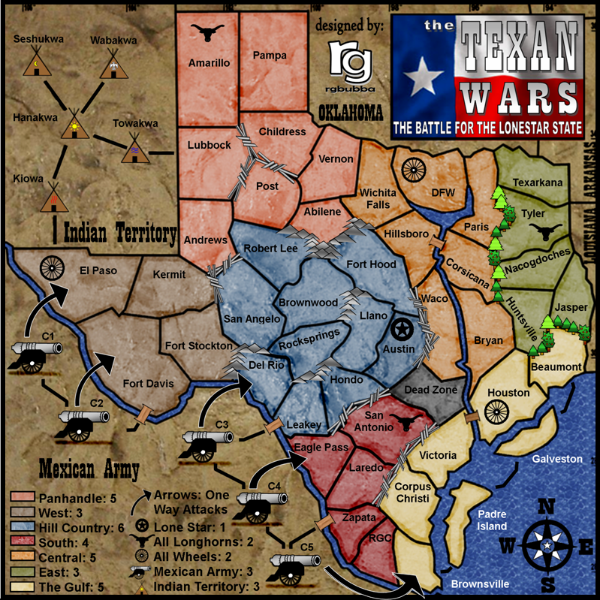
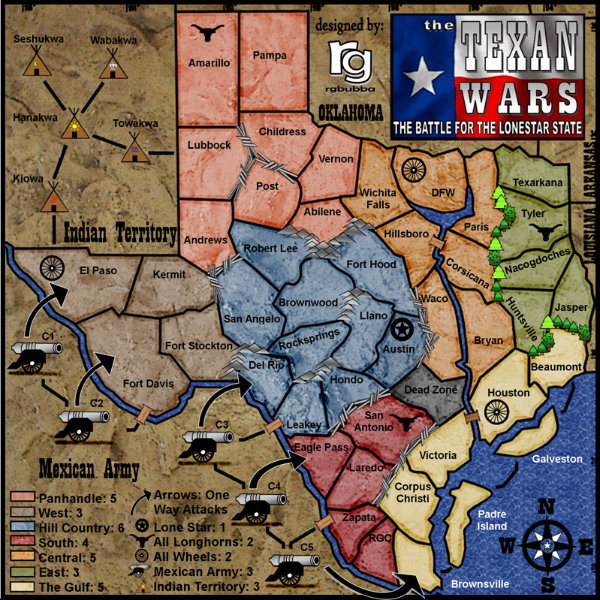
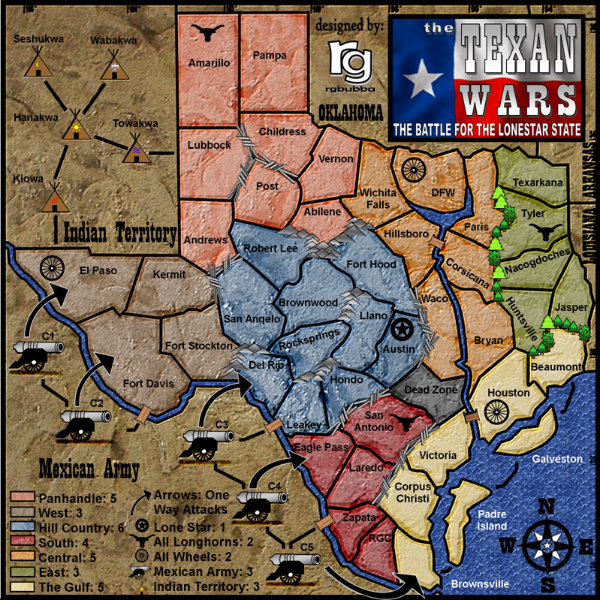
If you change the colour shade of the Corsicana region I think the problem would be solved, or change its colour altogether. The colours are so similar I don't even know what region it is or its bonus legend! What region is that...Central? I am sure all the people who are colour blind would miss playing on this map because of this issue.rgbubba wrote:Hi Ruben,
I had that same problem with other guy but it was with different colors. Is it that bad that you can not make them out?
I would love to change it, but I have to go back to the start In getting the graphic redone. After put the hard work in changing the color last time I don't know if I want to do it all over again.
And would love to work on it for you but I hope that you understand. I don't have alot of programs at my computer to just do a quick fix. I hope to get them one day.
Thanks for you suggestions!
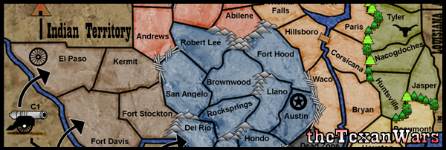
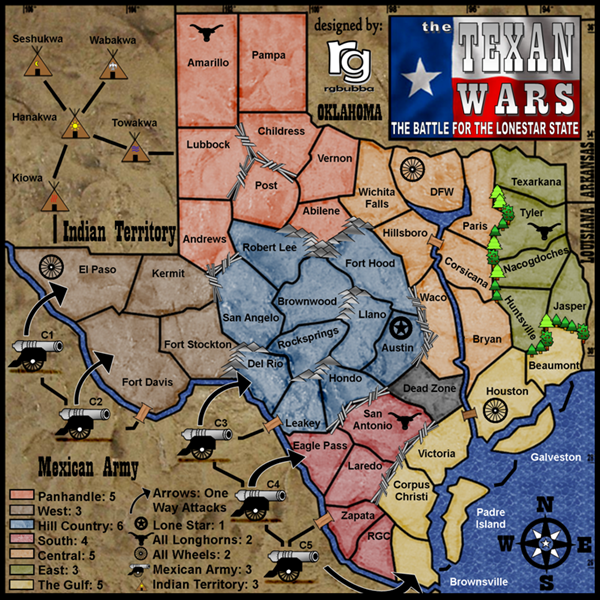
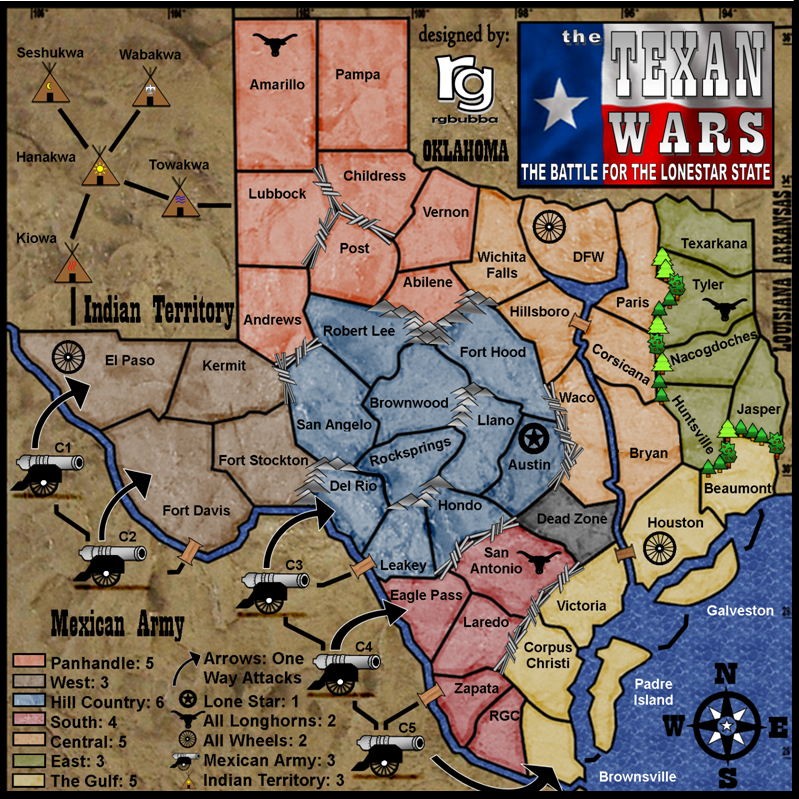
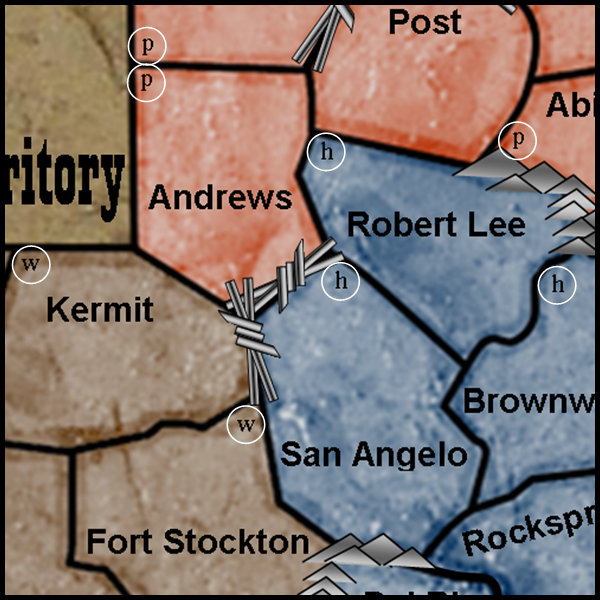
It's the same part of the map that I was having trouble with weeks ago... that's the thing with color-blindness, it may have gotten just distinct enough for me, but somebody else will have trouble. Plus I looked at it so much I just learned where everything is supposed to be after a while. That Central region is always at the heart of the problem, so it probably needs more than just a tweak - I know that for me what is confusing is that the bottom half of the region has less marble texture and thus looks lighter (like the Gulf color) while the northern half of the region has more 'marbling' and thus looks darker (like the Panhandle).Ruben Cassar wrote:If you change the colour shade of the Corsicana region I think the problem would be solved, or change its colour altogether. The colours are so similar I don't even know what region it is or its bonus legend! What region is that...Central? I am sure all the people who are colour blind would miss playing on this map because of this issue.
Sorry, I know it's late in the day, and that at this stage you would like to see this quenched but I think it's an important issue which needs to be tackled.


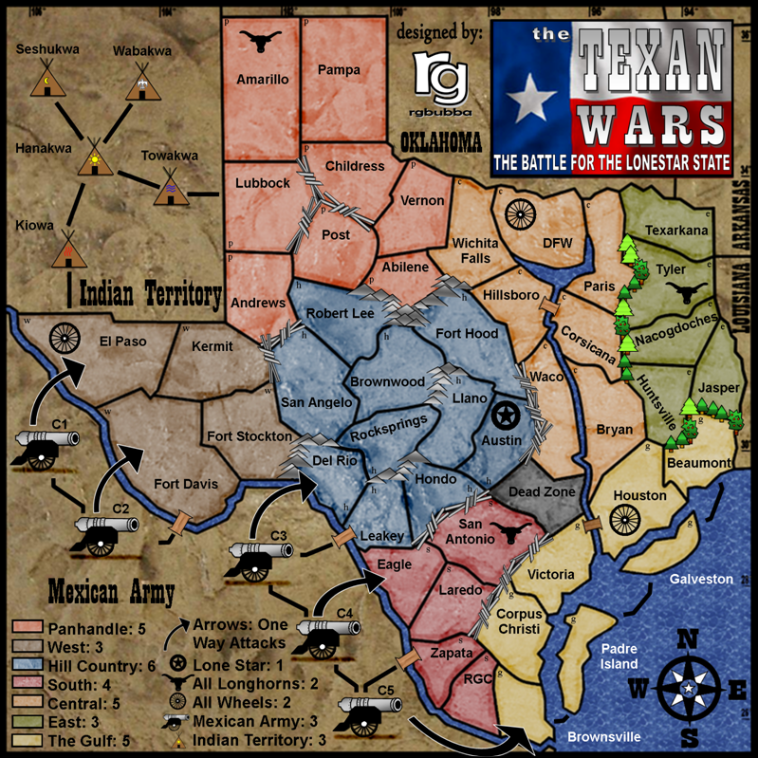
Took me about 7 minutes while feeding a baby with one hand. Just showing it can be done quickly, of course i was using PS. Maybe some one could assist you further.rgbubba wrote:Thanks oaktown for helping out! I have been using Publisher and Gimp2 to try to get is done. When the map was simple I could change the color really quick. But know it seem not to work as well. I have to grab some old art work and redone the process over again. I have work on this too long that I almost what to let it be and go on. But I know you guys need this done to help you out during game play. I just don't want it to look like most of the maps that I have seen.
So all you guys really need is a different texture? Right?
or is it the color as well?
I am welling to do what ever it takes to be done!
I understand that you may have the programs, you did not have to show off!mibi wrote:Took me about 7 minutes while feeding a baby with one hand. Just showing it can be done quickly, of course i was using PS. Maybe some one could assist you further.rgbubba wrote:Thanks oaktown for helping out! I have been using Publisher and Gimp2 to try to get is done. When the map was simple I could change the color really quick. But know it seem not to work as well. I have to grab some old art work and redone the process over again. I have work on this too long that I almost what to let it be and go on. But I know you guys need this done to help you out during game play. I just don't want it to look like most of the maps that I have seen.
So all you guys really need is a different texture? Right?
or is it the color as well?
I am welling to do what ever it takes to be done!

What colors do you see better?Ruben Cassar wrote:Just colour would be fine for me.

The version shown above by mibi would be perfect!rgbubba wrote:What colors do you see better?Ruben Cassar wrote:Just colour would be fine for me.
I know that would work but graphicly speaking it does not look good. Will try to look in to better colours. Give me a week to make some changes.Ruben Cassar wrote:The version shown above by mibi would be perfect!rgbubba wrote:What colors do you see better?Ruben Cassar wrote:Just colour would be fine for me.


I'm not sure what I can do then? I have changed all the colors lighten some ares and darken others. Unless you have another suggestion!Ruben Cassar wrote:You seem to have worked on the texture not the colours.
I still find them too similar and prefer the old texture. It was more subtle.

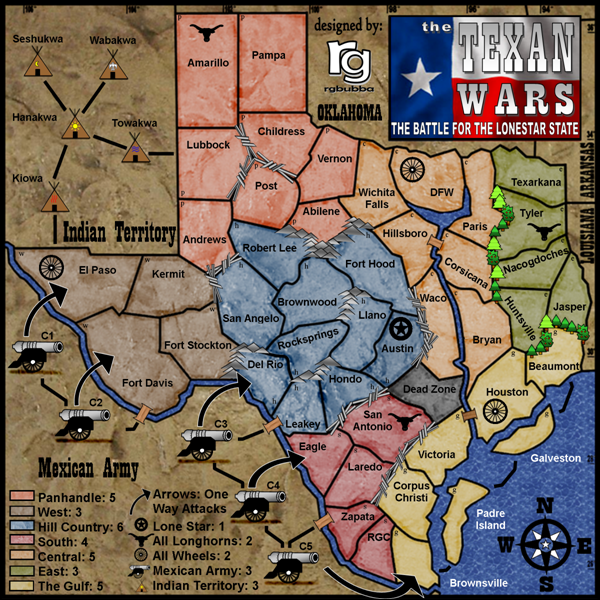
Sorry but I don't see any difference between this and the old version. The colours look the same to me...just the texture changed.rgbubba wrote:Subject: THE TEXAN WARS (Final Update Pg. 29) [Gp,Gr,I] [Final Forge]
I'm not sure what I can do then? I have changed all the colors lighten some ares and darken others. Unless you have another suggestion!Ruben Cassar wrote:You seem to have worked on the texture not the colours.
I still find them too similar and prefer the old texture. It was more subtle.
If you rather keep the old one and it suits you better then we can go on to the next step.
I did not want this to be hard on you guys to play this board. The colors given by mibi, was not good at all. The color that was selected did not match the rest of the board schem. Can you see black and white fine? I might give it an old style look to it. Maybe that would help you guys. Can you give me some exsamples of some maps you can play with well? This might help.Ruben Cassar wrote:Sorry but I don't see any difference between this and the old version. The colours look the same to me...just the texture changed.rgbubba wrote:Subject: THE TEXAN WARS (Final Update Pg. 29) [Gp,Gr,I] [Final Forge]
I'm not sure what I can do then? I have changed all the colors lighten some ares and darken others. Unless you have another suggestion!Ruben Cassar wrote:You seem to have worked on the texture not the colours.
I still find them too similar and prefer the old texture. It was more subtle.
If you rather keep the old one and it suits you better then we can go on to the next step.
I already gave you the suggestion in an earlier post...replicate the red colour mibi used and you should be fine.

I posted my code on page 30 or 31 I'm not sure. I might need some help. Do you know the code? If you do please take a look and tell what you think. Thanks. Lanyard skiped on me, he was putting that together for me. I had to try to do it myself.laci_mae wrote:RG,
Instead of compromising your map colors, you might try to switch the brown of west with the orange of central. Alternatively, the yellow of gulf could be switched with the orange of central.
Just a thought. I'd say we're well into the minor, squeaky wheel type details. How is the XML coming along?
Best,
LMR

Thanks, I hope to see this board done soon.laci_mae wrote:I can tell you without looking that I think your code is awesome. It might as well be in Greek. I know nothing about it, and was just asking to be polite. Hopefully someone can come through for you though.
LMR